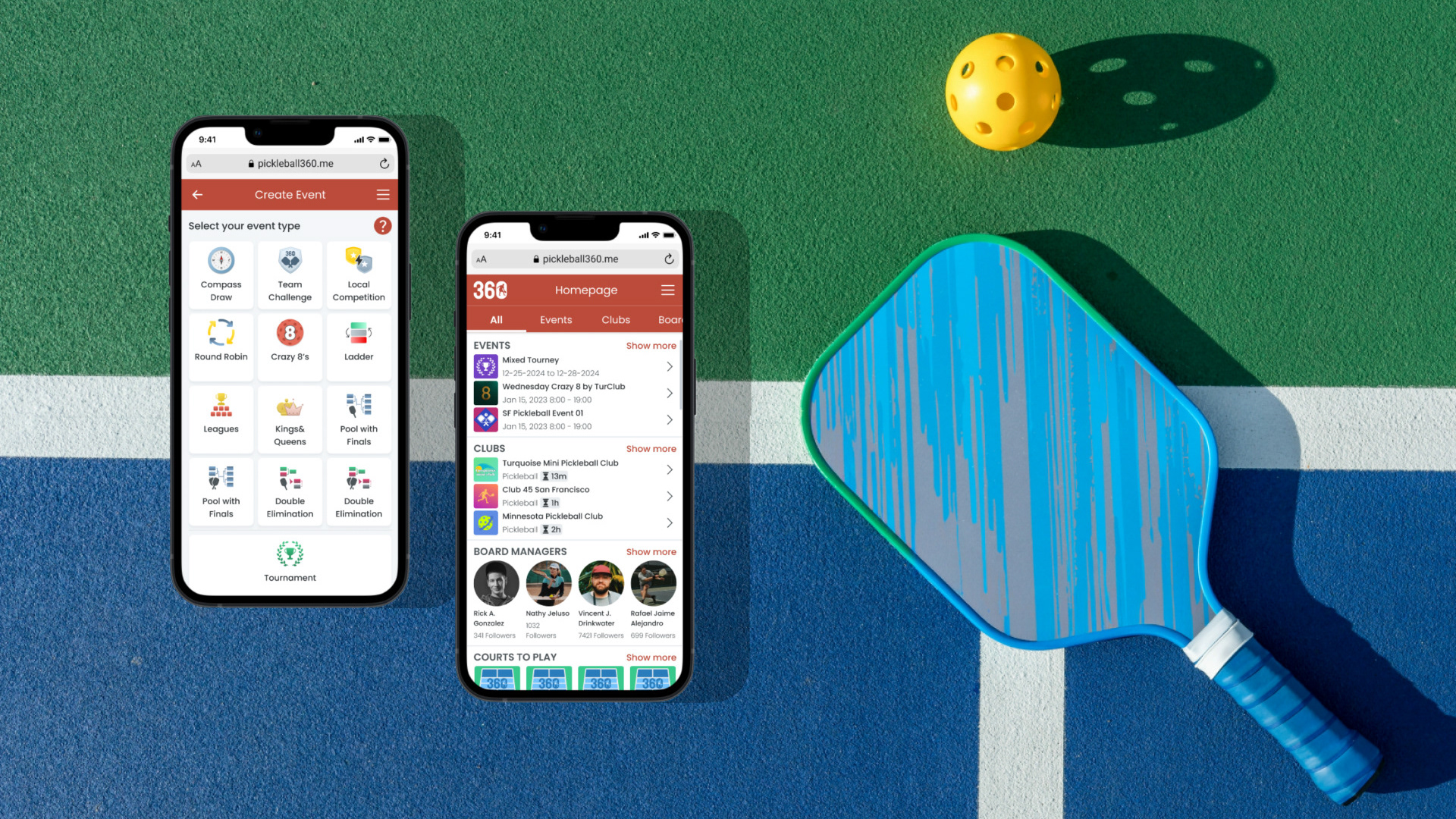
Pickleball360 is a platform that offers a variety of services for pickleball players and organizers.
This web application provides venue (court) management, event management and club management services. One or more of these services may be requested by the organizers. With these tools, organizers can reach and serve pickleball players through the application.
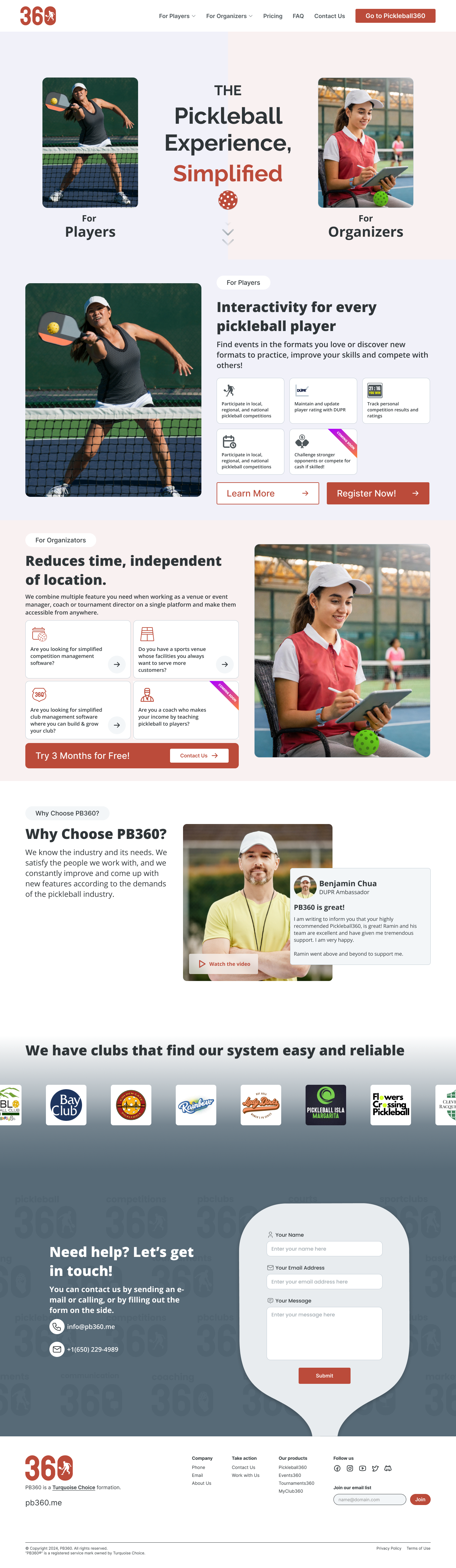
I aimed to emphasize simplicity and dynamism in the renewed design of the website. The difficult part for organizers was explaining how multiple different types of features could be optionally provided by a single person. While in the previous design, the users of different sub-applications were divided into different user types, with the renewed design, the user type was divided into "service recipient" (player) and "service provider" (organizer) and the sub-services were highlighted as a feature.
In any case, since the incoming requests required this single landing page to appeal to two different user types, application promotions for user types were sorted according to the desired user type and primary actions were given in different parts of the page throughout the flow.
The design was implemented by our front-end developer. You can see how it works from the link below:
pb360.me
Detailed promotional pages and other pages for players and organizers will be added soon.
Thanks for watching!
Landing page whole flow in one view:
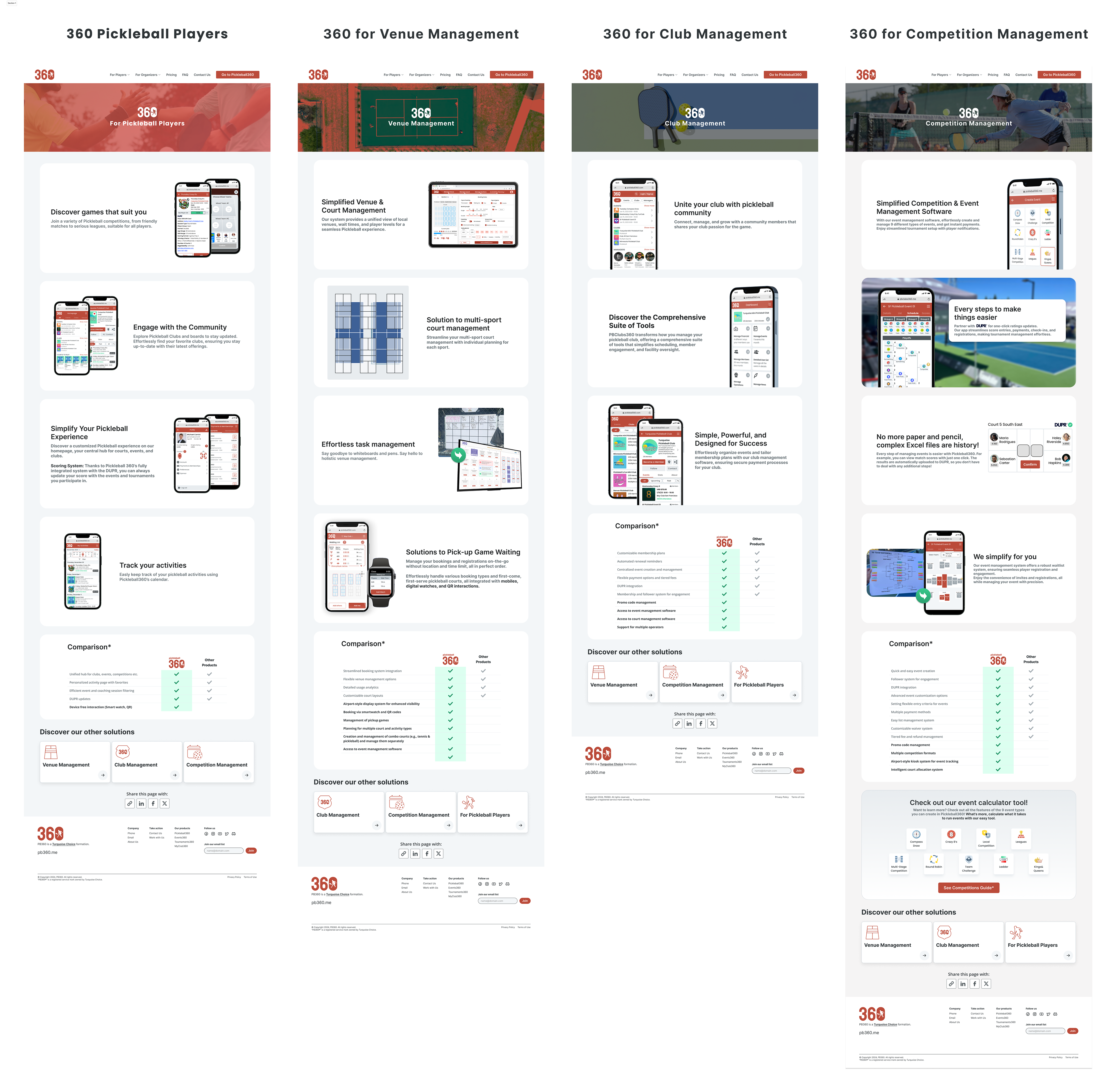
4 different product pages available from the landing page:
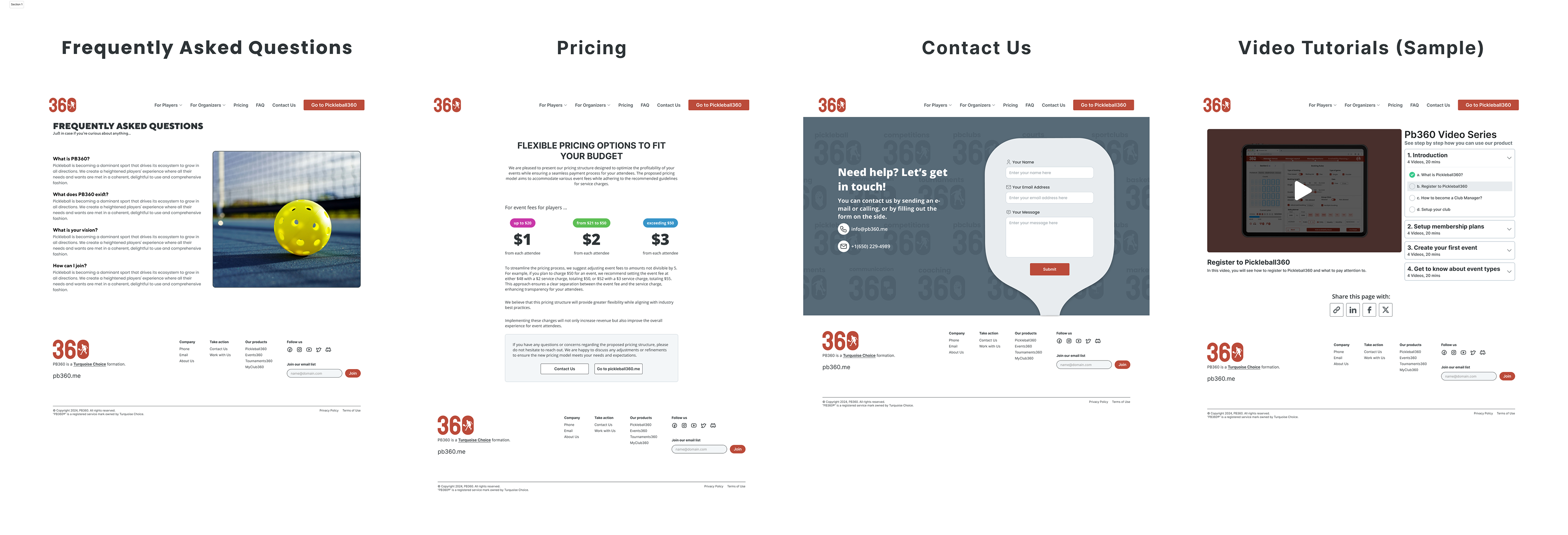
FAQ, Pricing, Contact and Tutorials page:
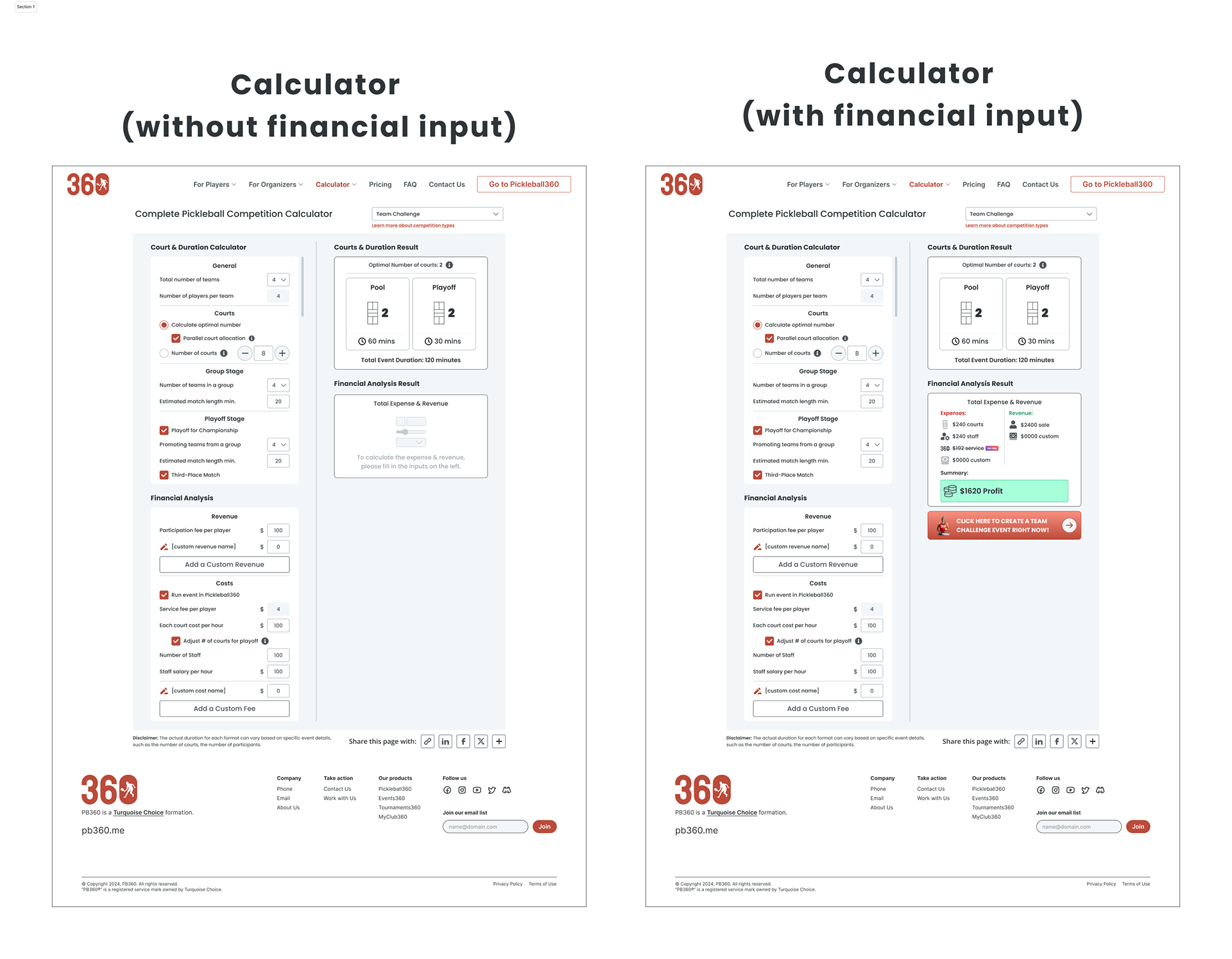
Event Calculating Tool:
Event calculator is a tool that takes certain inputs from the user and calculates the values such as the number of courts, duration, income and expenses required for the event, depending on the event selected from 9 different event types.
In this calculator, elements such as courts and duration required to organize the event can be calculated without income-expense calculation, that is, financial input and output are optional.
In the flow, the left part is where the inputs are located, and the right part is the area where the outputs are located. Both parts go in a sequence from top to bottom. The left side of the page, that is, the input part, has a scroll independent of the output part, which allows the user to always view it dynamically on the right side when he makes instant changes.
I will add the link to where the product can be purchased soon.
If you have come this far, I would like you to know that I did not finish the project at once due to dealing with multiple projects in the startup environment simultaneously and I am trying to keep it dynamically updated. I'm sorry if you see some minor detail deficiencies in the design (some navbar buttons not visible, etc.).
I would like to thank my teammates who helped me mature the design with copywriting, brainstorming and feedback during the preparation of the project.